01
The walk to the back
The desk leaves the counter to find out where a car stands—while the phone rings and the next customer waits.
Software
Shop floor dispatch & intercom
The front desk and the shop floor on the same page. A job board on every wall, bay-side intercom, and spoken announcements—so the desk knows where every car stands without walking to the back.
01 — The problem
Most shops do not lose time on the work itself. They lose it finding out where the work stands.
01
The desk leaves the counter to find out where a car stands—while the phone rings and the next customer waits.
02
Jobs get handed off by memory. Nobody is certain which tech owns which car until someone asks.
03
A car that was due at two is still on the lift at three, and the first to notice is the customer.
04
Messages travel by voice over air tools and compressors—or they do not travel at all.
02 — How it works
The desk, the wall, and the floor show the same jobs, live. A change on any one appears on the others within a second.
01
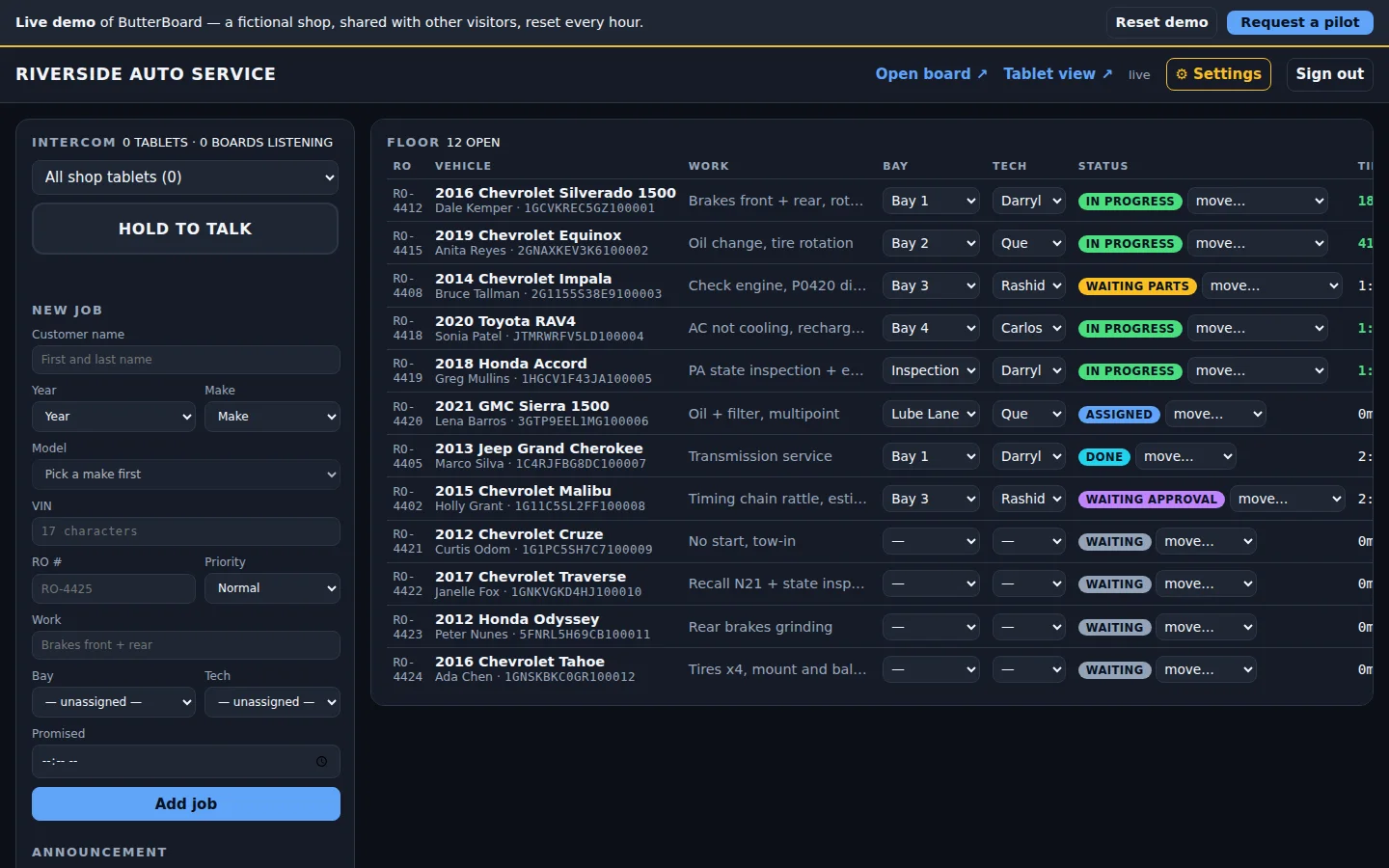
Take in the job with year, make, and model from the lists, VIN, customer, RO number, priority, and promised time. Put it in a bay and it goes to the tech stationed there. Every open job, its status, and its clock on one screen.
02
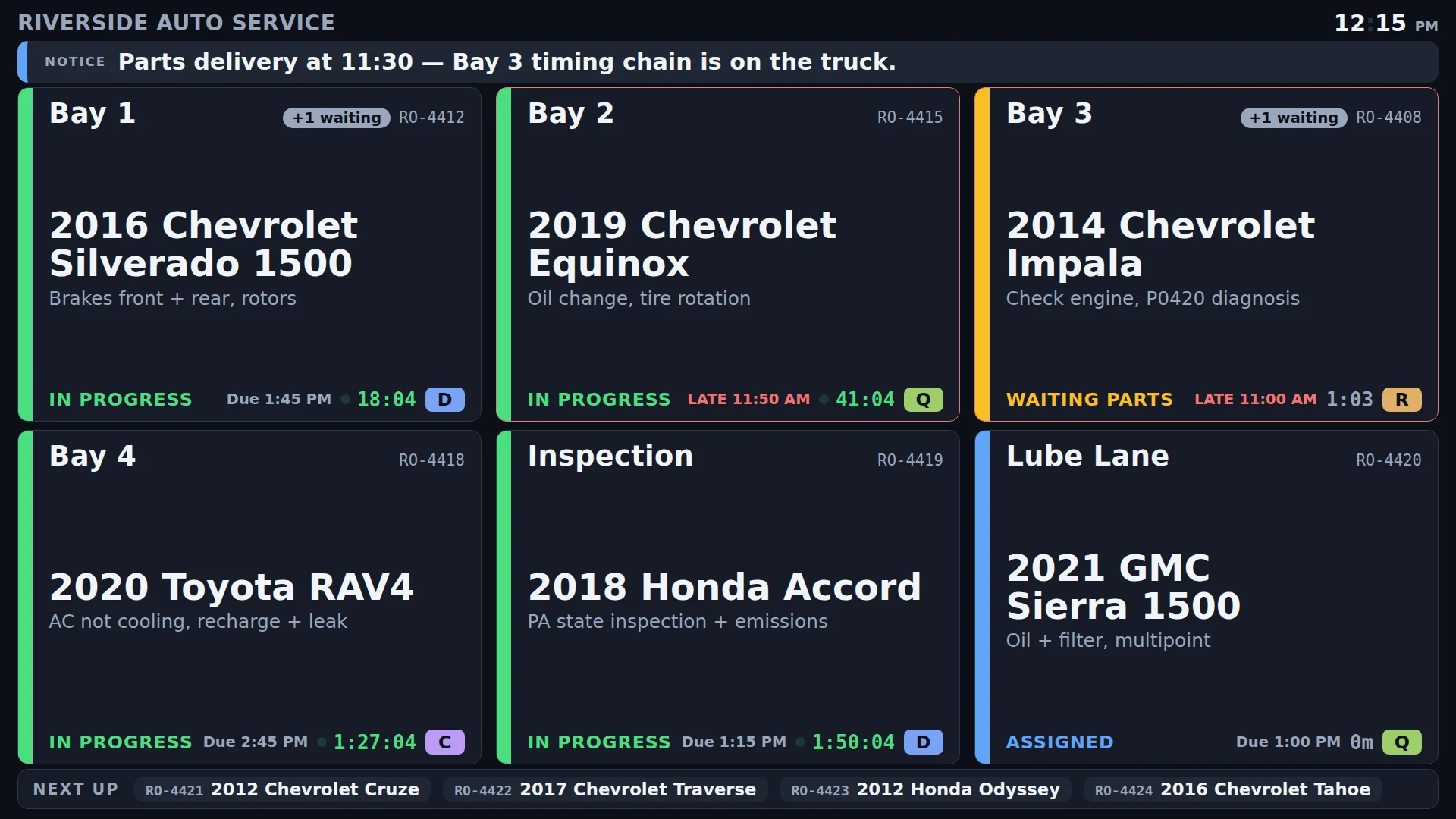
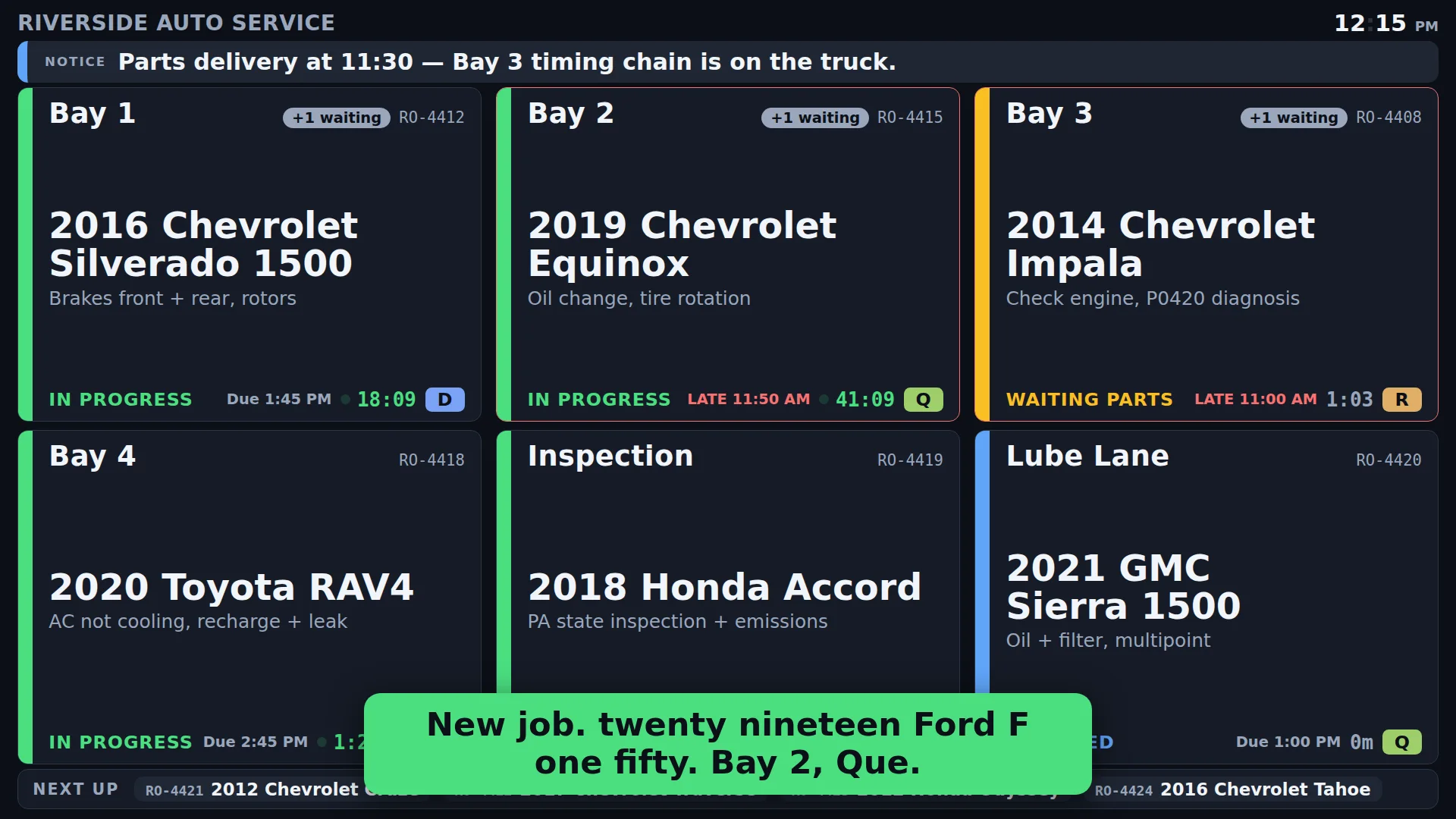
One large tile per bay—vehicle, work, tech, status, and a running clock—readable from across the floor. New work is announced out loud and captioned, so nobody has to be looking.
03
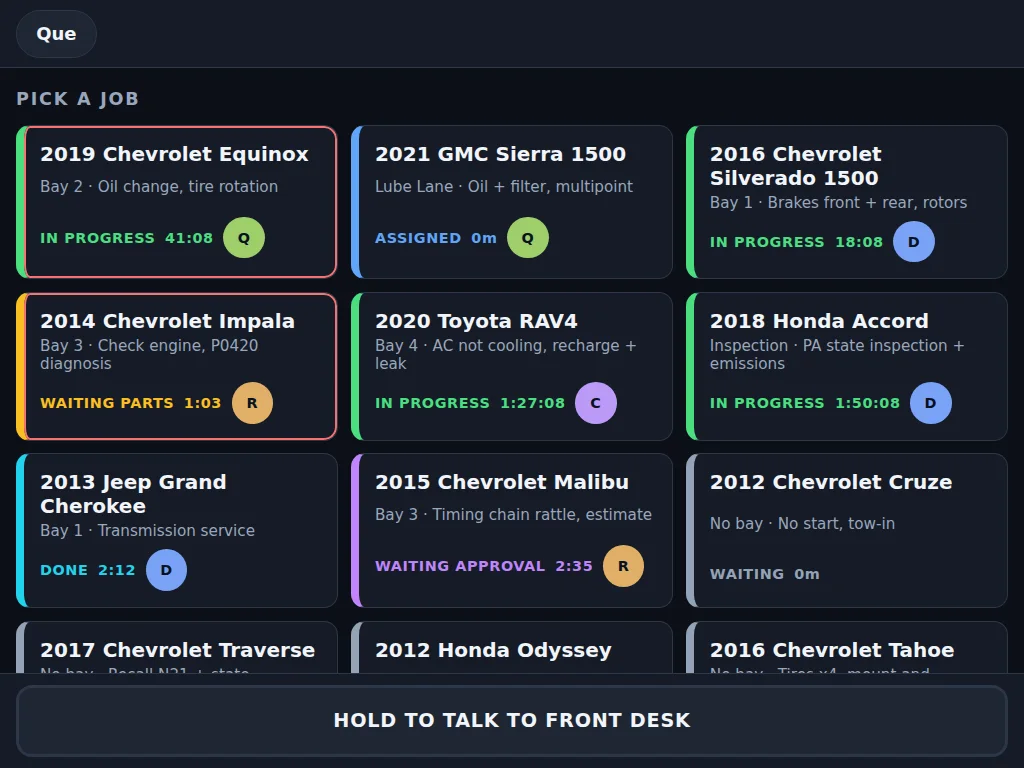
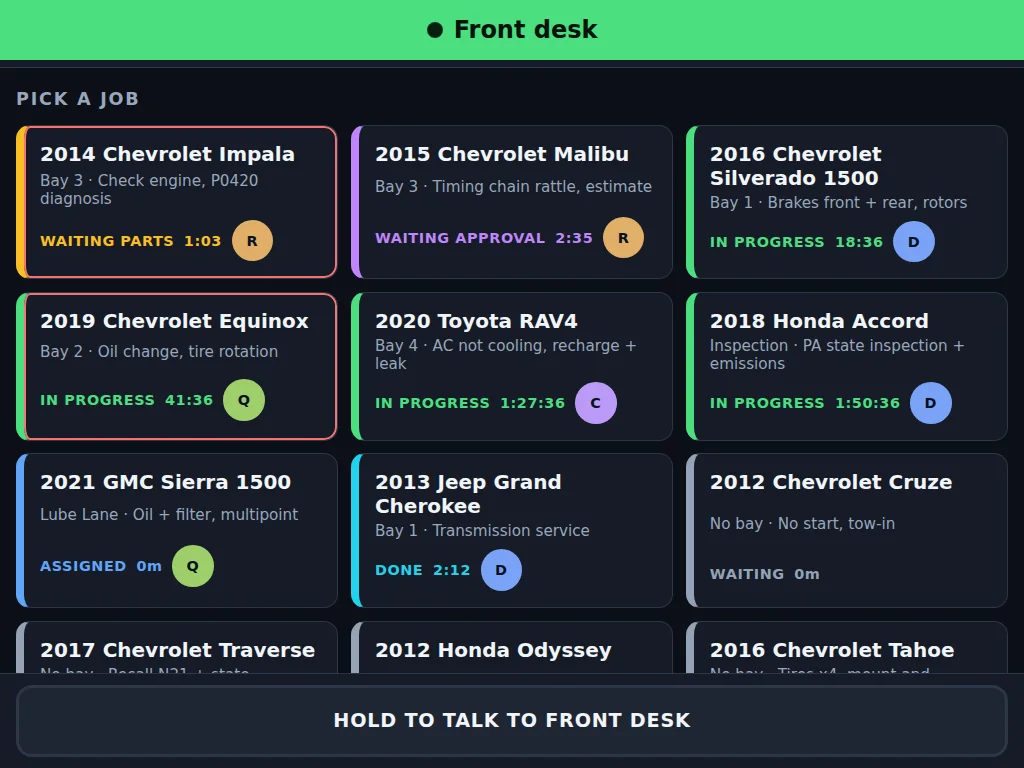
Techs tap their name, pick the job, and move it along—in progress, waiting on parts, waiting on approval, done. The desk sees it the moment it happens.
03 — Capabilities
01
Every bay on the wall: vehicle, work, RO, tech, and status as both a colour and a word. A Next Up queue and desk notices across the top.
02
Techs are stationed in bays, so assigning the bay assigns the tech. Any job can still be handed to someone else.
03
Push-to-talk between the desk and the floor, or page the whole shop through the TV speakers. One talker at a time.
04
New jobs, assignments, cars ready for pickup, and desk notices read aloud the way a shop says them: “twenty nineteen Ford F one fifty.”
05
Clocks run only while the shop is open. Promised times turn amber when due and red when late.
06
Your name, logo, and colour on the board, the desk, and the tablet.
04 — Bay-side intercom
Hold the button at the desk and the tablet in the bay speaks. Hold it on the tablet and the desk hears the tech. Page the whole shop and it plays through every TV on the wall.
05 — What is installed
06 — Security and reliability
07 — See it live
The live demo runs the front desk, a shop TV, and a bay tablet side by side. Add a job and hear the TV announce it. Move it on the tablet. Call the bay. No sign-up—a fictional shop, reset every hour.
See it live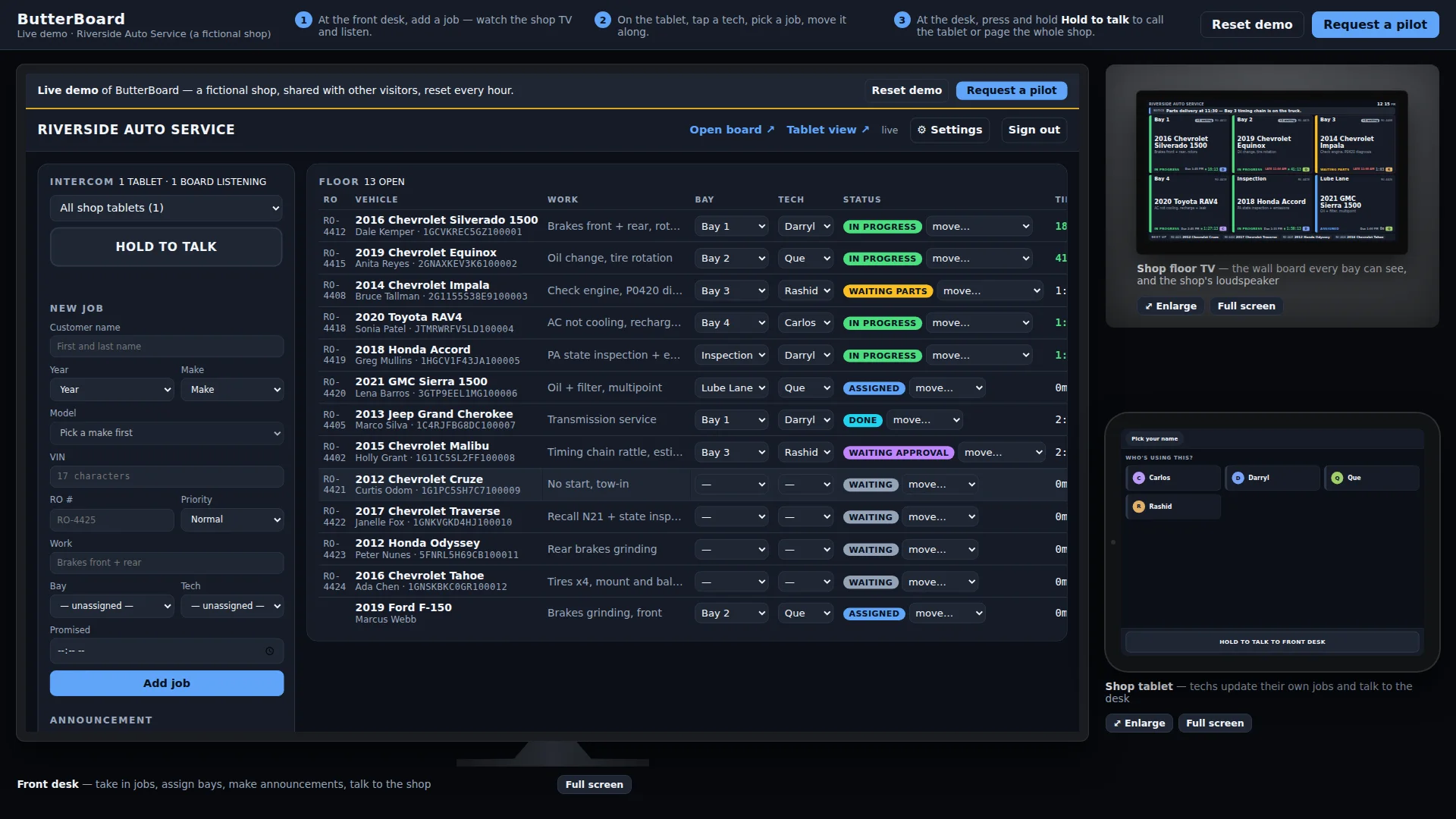
Questions